Self-service kiosk software, built to run unattended.
Reliable touchscreen software for the real world.
We build the software behind self-service kiosks end to end: the touchscreen experience, the integration with printers, scanners, and payment terminals, the lockdown and remote recovery that keep a kiosk running unattended, and the fleet dashboard that watches every unit in the field. From a single pilot to a national rollout.
From a single kiosk to a connected network.
The same system, built end to end: the kiosk on the floor, the signal to the cloud, the software that runs it, and the dashboard you watch it from.
The kiosk
Touchscreen ordering, payments, and peripherals, built on hardware you choose or already run.
The connection
Every kiosk streams orders, payments, and device health to the cloud in real time.
The platform
Content, menus and pricing, remote configuration, and fleet health in one management layer.
The dashboard
Live status for every kiosk, usage and revenue analytics, and alerts, from one screen.
The kinds of kiosks we build software for
Every venue and use case puts different demands on a kiosk. These are the build types we work in most, each shaped around the task, the environment, and how people interact with the screen.
Ordering and self-checkout kiosks
Quick-serve ordering, retail self-checkout, and pay-at-table flows with upsell, loyalty, and split payments. Built for speed and accuracy at peak.
- Menu, cart, and upsell flows
- Card, wallet, and QR payments
- Loyalty and promo code support
- Kitchen display and POS integration
Check-in and visitor kiosks
Self check-in for clinics, hotels, gyms, and offices, with ID scanning, badge printing, and appointment lookup. Cuts queues and front-desk load.
- ID and document scanning
- Badge and label printing
- Appointment and booking lookup
- Visitor logging and host notifications
Ticketing and event kiosks
Buy, collect, and scan tickets for venues, transit, and attractions, with print-at-kiosk and mobile handoff.
- Ticket purchase and collection
- Barcode and QR scanning
- Seat and zone selection
- Transit and access-control integration
Wayfinding and information kiosks
Interactive directories and maps for malls, campuses, and large venues, with content that non-developers can update.
- Interactive maps and search
- Multi-language and accessibility modes
- Content management for non-developers
- Digital signage scheduling
Retail and endless-aisle kiosks
Endless-aisle, product configurators, and assisted-selling kiosks that extend the shelf and capture orders in store.
- Endless aisle and catalog browse
- Product configurators
- Order capture and fulfillment
- Inventory and price sync
Rugged and outdoor kiosks
Durable kiosk software for transit, parking, and outdoor venues, hardened against weather, tampering, and heavy use.
- Kiosk lockdown and tamper recovery
- Offline-tolerant operation
- Peripheral health monitoring
- Remote diagnostics and updates
Related solutions
A single control room for a distributed vending estate
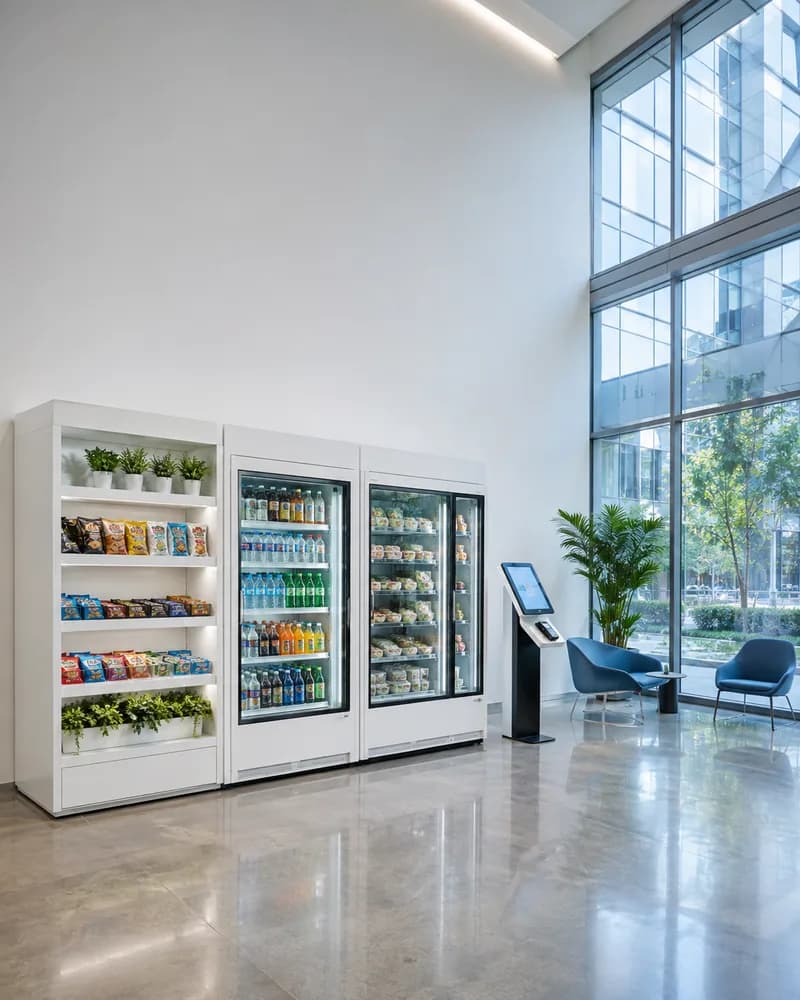
A vending build rather than a kiosk one, and it is here because the hard part is shared: a network of unattended machines in public places, and one dashboard showing which are online, what is left in them, what sold, and who needs to visit which site next.
Read the case study- 01Live machine map and telemetry
- 02Real-time sales and profit and loss
- 03Inventory and low stock alerts
How the work runs
Tell us what you need
A short written brief is enough to start: what you are building, the stack it has to live in, and the problem behind it. Someone technical reads it, not a sales rep.
passed when we reply with questions and a proposed shape
Scope and quote
We agree what the first release contains and what it costs before anything is built. Anything we cannot estimate honestly gets scoped on its own rather than padded into the total.
passed when the scope and the quote are agreed
Build in the open
Working software arrives in increments, in your repository, with our commits visible from the first week. Progress is something you can open and run, not a status report.
passed when a real user is doing a real job in it
Iterate, then hand over
What the first release teaches sets the priority for the next one. When you want it in house, documentation and a handover period are part of the engagement rather than an extra.
passed when your team can run it without us
How pricing works
Fixed price per milestone
You approve each milestone and its price before it starts, so the cost is known before the work is rather than after. Milestones are sized to be worth reviewing on their own.
Monthly rate for a dedicated team
A set team at a set monthly cost, with notice rather than a minimum term. Priorities move between sprints without renegotiating anything.
Scoping first, quote after
We work out what it should be with you before quoting it. There is no charge for that conversation and no obligation to go ahead.
Frequently asked questions
What every kiosk ships with
Every build ships end to end, from first scope to live deployment and ongoing support.